How to import: Color theme
Use this page when you download a color theme from Symfonium Customizations and want to import it inside the app.
What you download
The downloaded file is a JSON export that contains only the color theme data.
Import steps
- Download the latest version from the detail page.
- Open Symfonium on your device.
- Open Settings.
- Open Interface settings.
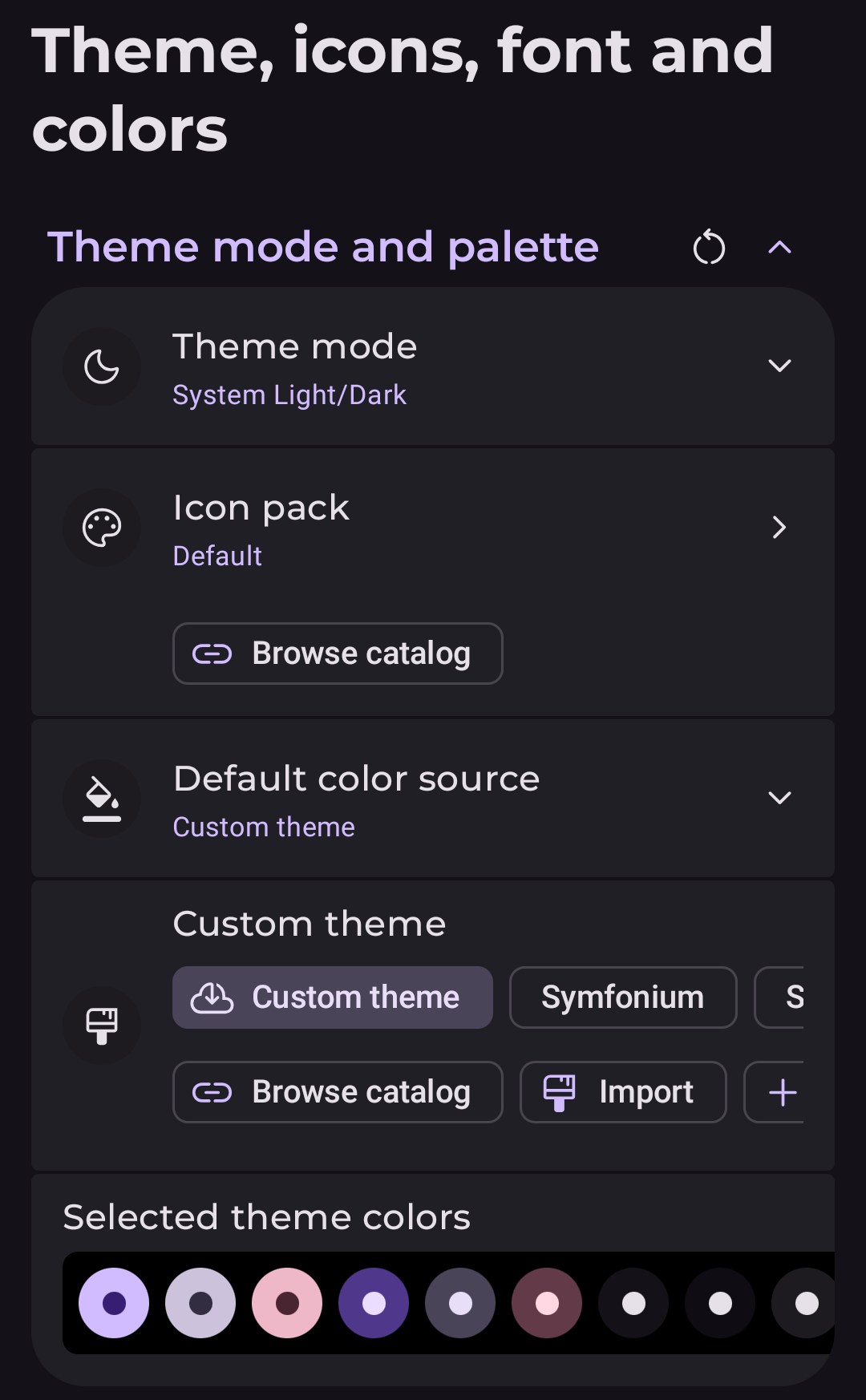
- Open Theme, icons, font and colors.
- In Default color source, select Custom theme.
- In the Custom theme section, tap Import and choose the downloaded JSON file.
If the import fails, make sure you downloaded the JSON file directly from this site and did not rename or edit its contents before importing it.