How to import: Icon pack
Use this page when you download an icon pack from Symfonium Customizations.
Note: Icon packs require Symfonium 16.0.0 or newer.
What you download
The downloaded file is a signed Android APK. It contains the icon-pack service and icon map that Symfonium reads after the APK is installed on your device.
Import steps
- Download the icon pack from its detail page.
- Install the downloaded APK on the Android device where Symfonium is installed. Follow How to install an APK on Android for installation permissions and unverified-developer warnings.
- Open Symfonium.
- Open Settings.
- Open Interface settings.
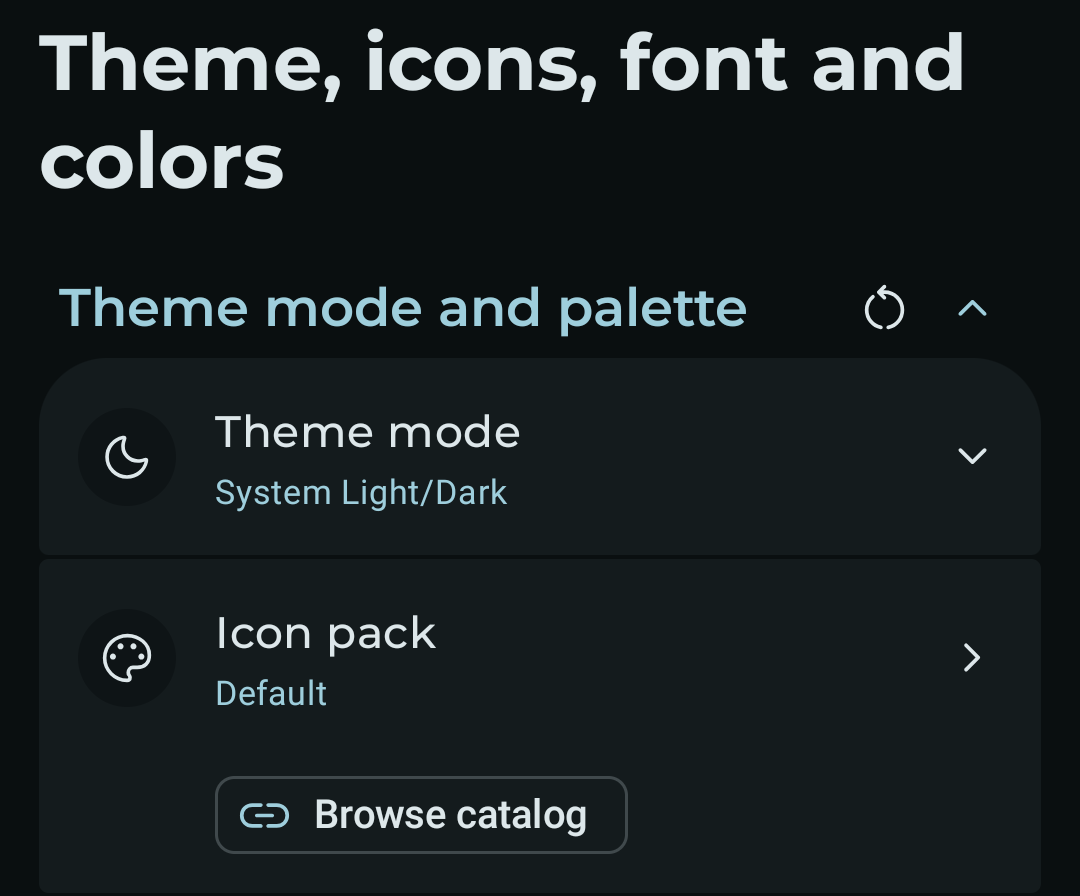
- Open Theme, icons, font and colors.
- In the Theme mode and palette section, tap Icon pack and select the installed icon pack.
If the icon pack does not appear, confirm that the APK installed successfully and that your Symfonium version is at least the version shown on the icon pack page.
Create your own icon pack
To create your own icon pack, start with the Symfonium icon pack template. Follow the instructions in the repository to customize the icons and build your APK.